

vs

HealthyNotch vs Viraam

Viraam is a guided wellness overlay with meeting detection and a subscription or $49.99 lifetime buy. HealthyNotch is four local nudges in the Mac notch, a Balance Score, and a one-time license with no account.

You’ll get a license key after you pay — on Polar’s confirmation screen, and by email.

On the four desk habits, Viraam and HealthyNotch overlap more than any other pairing on this site. Both remind you to rest your eyes, drink water, stand or stretch, and sit up straight. Both are native Swift apps for macOS 14, and both keep usage data on the Mac. Viraam then adds a wellness overlay around those habits: blink and posture follow the cursor, meditate and sleep-prep sit next to a Pomodoro timer, and breaks can be a toast, a grouped pause, or a full-screen scene with sound. HealthyNotch stays in the cutout. Hover the notch, log water on a ruler, take the nudge, and the panel folds away. Same jobs. Different presence, and a different way to pay.

Quick verdict

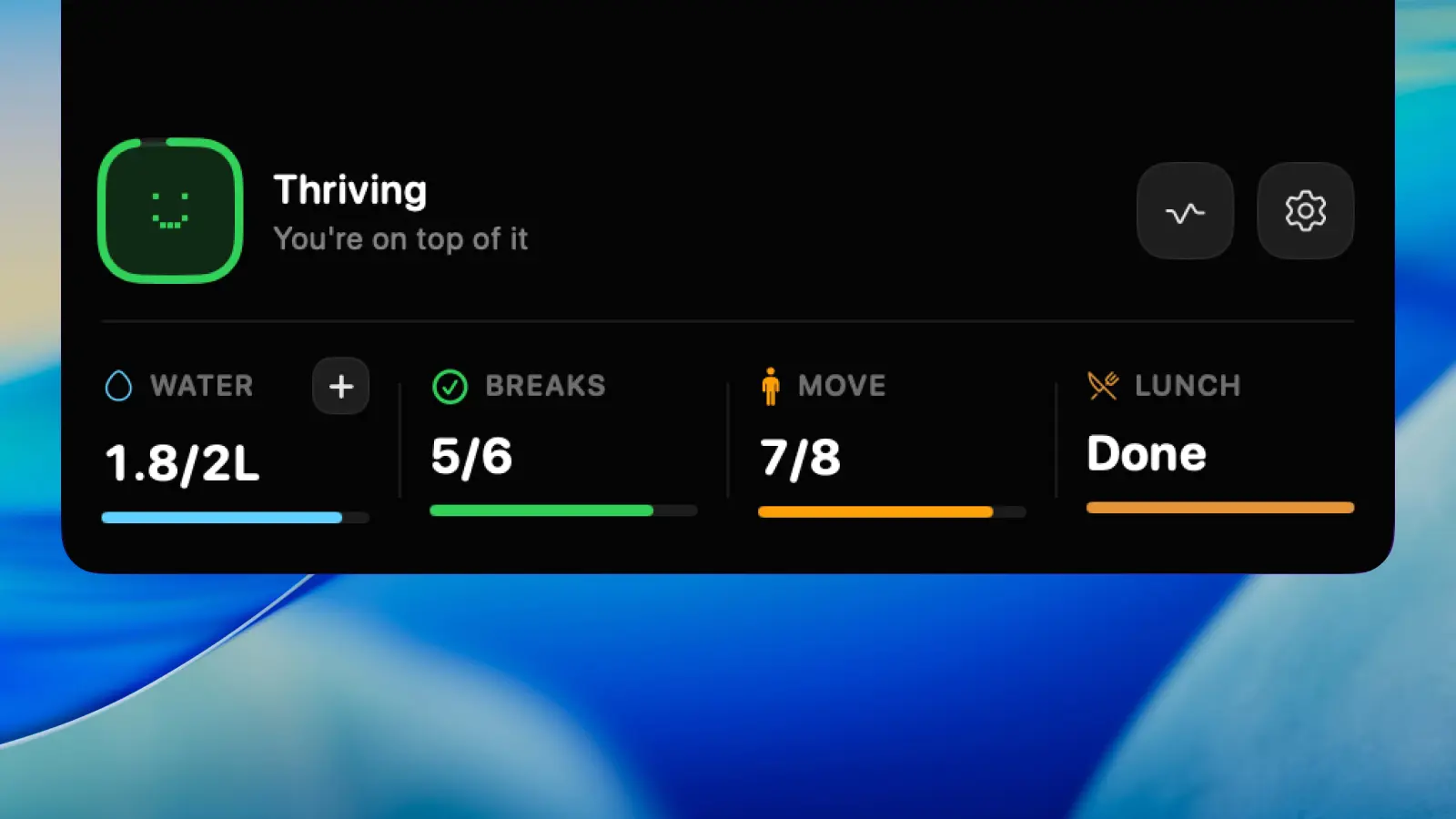
Pick Viraam if you want a broader wellness day: guided eye exercises, meditation, walks, sleep wind-down, and breaks that pause for Zoom. Pick HealthyNotch if you want water, 20-20-20, stand, and posture as quiet notch glances, plus a daily Balance Score, for one-time $11.99 at launch ($19.99 later) with no account. Viraam is the closest feature match. It does not live in the notch.

HealthyNotch expanded notch panel showing water, breaks, and Balance Score on a MacBook menu bar.
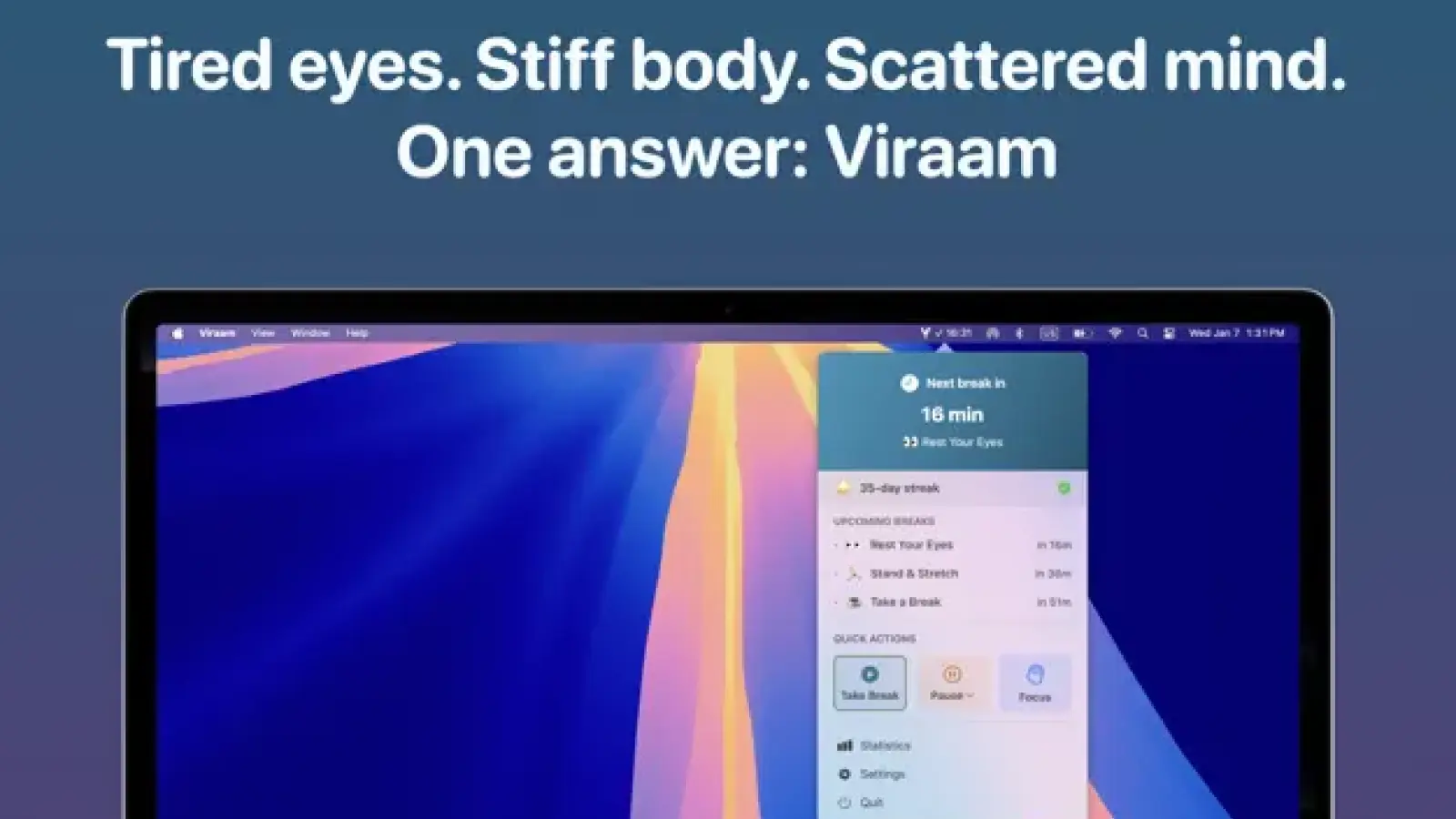
Viraam Mac wellness reminders and guided-break interface.

HealthyNotch and Viraam, side by side

FeatureHealthyNotchViraam
Lives in the Mac notchYesNotch panel on MacBooks, or a centered pill on notch-less Macs.NoMenu bar overlay: toasts, cursor nudges, or full-screen pauses. Not the notch.
Water reminders and in-place loggingYesReminder plus a quick-log intake ruler, in the notch.PartialStay Hydrated reminders, and Done logs the break. No intake ruler.
Eye break (20-20-20)Yes20-20-20 reminder. Look about 20 feet away, then back to work.Yes20-20-20, blink nudges, and sound-guided eye exercises.
Stand / movementYesShort stand and movement nudge. Frequency is yours.YesStand & Stretch and Walk, grouped when they land close together.
PostureYesSit-up-straight check. Can be retimed or turned off.YesSit-up-straight cursor nudge that follows the pointer.
Daily scoreYesBalance Score, 0–100, from nudges, water, and how evenly breaks land.PartialStreaks, perfect days, and 12-month trends. Not a 0–100 daily score.
Meeting / video Smart PauseNoNudges stay in the notch. No meeting or video detection yet.YesPauses for meetings and full-screen video, then remembers your choice.
Full-screen break enforcementNoGlanceable nudges. Nothing takes over the display.PartialOptional immersive full-screen pause. Quiet Mode stays visual-only.
Account, cloud, analyticsNoLocal-only. No account, no analytics, no servers.NoNo app account or analytics. Data stays on the Mac. Optional local calendar for Pomodoro.
Native Swift vs ElectronYesNative SwiftUI menu bar agent.YesNative Swift, about 12MB. Apple Silicon and Intel.
Pricing modelYesOne-time $11.99, regularly $19.99. No subscription.PartialMac App Store: $2.99/mo, $19.99/yr, or $49.99 lifetime. 14-day trial.
Works without a physical notchYesFalls back to a centered pill in the menu bar area.YesNot a notch app. Runs on any Mac that meets the OS floor.
macOS minimumYesmacOS Sonoma 14.0 or laterYesmacOS 14.0 Sonoma or later.

Where they differ

Guided wellness overlay vs glances in the notch

Viraam calls itself the wellness layer between you and your Mac. That is accurate as a product shape, not as a notch claim. Reminders arrive as cursor-following blinks, a side toast, or an immersive pause with your own music. You can write custom break copy, tap Done when you finish early, and hide those surfaces from screen sharing. Quiet Mode turns the whole set into a soft visual cue for a café or a shared office.

HealthyNotch does the health job in the hardware Viraam never uses. Water, 20-20-20, stand, and posture live in the MacBook notch, or in a centered pill on a Studio or Mini. There is no toast stack and no full-screen scene. You glance, log, and go back to the document. If you want a Dynamic Island on the cutout, that is a different comparison (Alcove). If you want the cutout to nudge health, that is this one.

A subscription wellness app vs a one-time notch license

Viraam sells through the Mac App Store. A 14-day trial starts on first launch, no card. After that the public plans on 21 August 2026 are $2.99 a month, $19.99 a year, or $49.99 lifetime, and every plan includes every feature. The lifetime buy is the honest way to own it; the listed default is still a subscription.

HealthyNotch is a Polar license: $11.99 at launch, $19.99 regularly, no subscription, no Apple ID required to run the app. You are not buying meeting detection, sound-guided exercises, Shortcuts, or a 12-month habit calendar. You are buying four local nudges, in-place water logging, and a 0–100 Balance Score. If the extra Viraam layer is the product you want, $49.99 lifetime can be fair. If you only wanted the four habits in the notch, you would be paying for a different app.

Meeting pause and grouped breaks vs always-on quiet nudges

This is the feature Viraam wins cleanly. It detects Zoom, Teams, Meet, FaceTime, YouTube, and full-screen video, asks how to treat breaks, and remembers the answer. Idle time can pause them too. When several reminders land close together, Smart Break Grouping folds them into one pause instead of a queue of pings.

HealthyNotch has none of that yet. Nudges stay in the notch during a call. They also never take the display, so they are easier to ignore on purpose, and they cannot leak onto a shared screen the way a toast can. If you present all day, Viraam's hide-from-recording plus auto-pause is the better fit. If you want a daily score that still ticks while you work, HealthyNotch keeps counting in place.

When to pick which

Pick Viraam if

  • You want guided eye exercises, meditation, walks, and a sleep wind-down in one Mac app, not only the four desk habits.
  • Breaks should pause for meetings and full-screen video without you toggling them.
  • You want a 14-day Mac App Store trial, then $2.99/mo, $19.99/yr, or $49.99 lifetime.
  • Streaks, a habit calendar, Shortcuts, and Focus Filters matter more than a notch UI.
  • You are fine with toasts, cursor nudges, or a full-screen pause.

Pick HealthyNotch if

  • You want water, 20-20-20, stand, and posture in the MacBook notch (or a centered pill on a notch-less Mac).
  • You want to log water in place and see a daily Balance Score from 0 to 100.
  • You want a one-time $11.99 launch license ($19.99 later) with no account and no servers.
  • You do not want a full-screen takeover or a wellness subscription.
  • You can live without meeting detection for now.

Frequently asked questions

Is HealthyNotch a Viraam alternative?

Yes, if the job is eyes, hydration, stand or stretch, and posture on a Mac. HealthyNotch is a Viraam alternative that does those four habits in the notch, logs water there, and rolls the day into a Balance Score. It is not an alternative if you need Viraam's meeting pause, guided eye exercises, meditation, sleep-prep, or a Mac App Store subscription. Viraam is not a notch app.

HealthyNotch vs Viraam: which should I use?

Use HealthyNotch vs Viraam as a surface and pricing choice, not a habit choice. HealthyNotch is local notch nudges, in-place water logging, a Balance Score, and a one-time $11.99 launch license ($19.99 later). Viraam is a broader wellness overlay with meeting detection, optional full-screen pauses, and plans at $2.99/mo, $19.99/yr, or $49.99 lifetime. Pick the overlay if you want the extra break types. Pick the notch if you want the four habits to stay glanceable.

Viraam vs HealthyNotch: what is the difference?

In a Viraam vs HealthyNotch matchup, the shared work is 20-20-20, hydration, movement, and posture. Viraam adds blink nudges, meditation, walks, sleep wind-down, Pomodoro, Smart Break Grouping, and auto-pause for calls and video. HealthyNotch adds a notch (or pill) UI, a water intake ruler, and a 0–100 Balance Score. Viraam sells a trial then a subscription or $49.99 lifetime. HealthyNotch sells a one-time license and does not use an account.

Does Viraam live in the Mac notch?

No. Viraam is a menu bar wellness app. It reminds you with cursor-following nudges, contextual toasts, or an optional full-screen pause. It does not occupy the MacBook cutout. HealthyNotch is the commercial app in this set that puts health reminders in the notch.

Does HealthyNotch pause during meetings like Viraam?

Not yet. Viraam detects video calls and full-screen video, then pauses or follows the preference you set. HealthyNotch has no meeting or video detection. Its nudges stay in the notch, so they do not take over the display, but they also do not auto-hide for Zoom or Teams.

How does Viraam pricing compare with HealthyNotch?

On 21 August 2026, Viraam lists $2.99 per month, $19.99 per year, or $49.99 lifetime after a 14-day trial on the Mac App Store. HealthyNotch is one-time $11.99 at launch ($19.99 later), sold as a Polar license with no subscription. Viraam's yearly plan matches HealthyNotch's $19.99 regular price for one year of Viraam. The lifetime Viraam buy costs more than HealthyNotch.

Can I run Viraam and HealthyNotch together?

Yes. They do not fight over the notch, because only HealthyNotch uses it. You will get two reminder systems for the same habits unless you turn overlapping types off in one app. If you keep Viraam for meeting pause and extra break types, you can leave HealthyNotch on for notch water logging and the Balance Score.

Does Viraam log water the same way HealthyNotch does?

No. Viraam has Stay Hydrated reminders and a Done control that logs the break. HealthyNotch reminds you and lets you tap an intake ruler in the notch so the day's water total feeds the Balance Score. If the log itself is the point, HealthyNotch is the closer tool.

Checked against public docs

HealthyNotch prepared this comparison from the public documentation linked below. It does not claim hands-on testing of the competitor unless the page says so.

Last reviewed .

A one-time license for your Mac

Launch pricing is $11.99, regularly $19.99 — one payment, no subscription.

You’ll get a license key after you pay — on Polar’s confirmation screen, and by email.