vs

HealthyNotch vs Alcove

Alcove puts iPhone Dynamic Island on the Mac. HealthyNotch uses the same notch for water, eyes, stand, posture, and a daily Balance Score.

You’ll get a license key after you pay — on Polar’s confirmation screen, and by email.

Alcove is the Mac app people mean when they say Dynamic Island for the notch. The homepage lists fluid transitions, notifications, Live Activities, swipe gestures, customizable HUDs, and lock screen widgets. On 21 August 2026 the purchase button is $14.99 once; the FAQ adds a 72-hour trial, three devices at a time, a 14-day refund, and a private-API as-is caveat. None of that is a water reminder. HealthyNotch uses the same cutout for drink water, 20-20-20, stand, and posture, with an intake ruler in the notch and a 0–100 Balance Score. Local-only, no account, macOS Sonoma 14.0 or later. If you searched for an Alcove alternative because you wanted the notch to look after your body, that is the split. They are not substitutes, and two notch apps may conflict.

Quick verdict

Pick Alcove if you want Live Activities, HUDs, notifications, and lock screen widgets in the Mac notch. Pick HealthyNotch if you want that cutout to nudge water, 20-20-20, stand, and posture, then roll the day into a Balance Score. They are not substitutes, and two notch apps may conflict, so give the hardware one job.

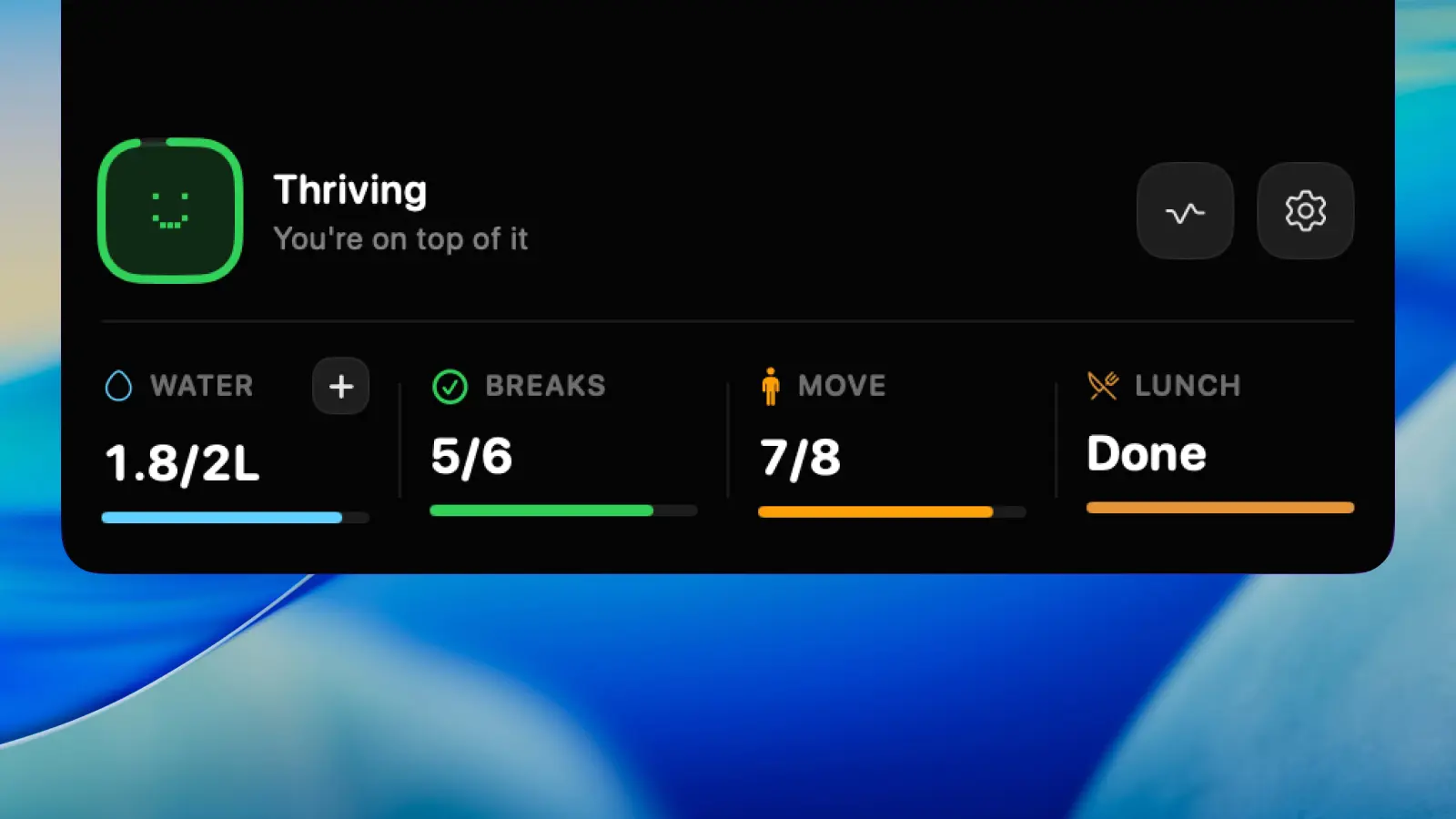
HealthyNotch expanded notch panel showing water, breaks, and Balance Score on a MacBook menu bar.
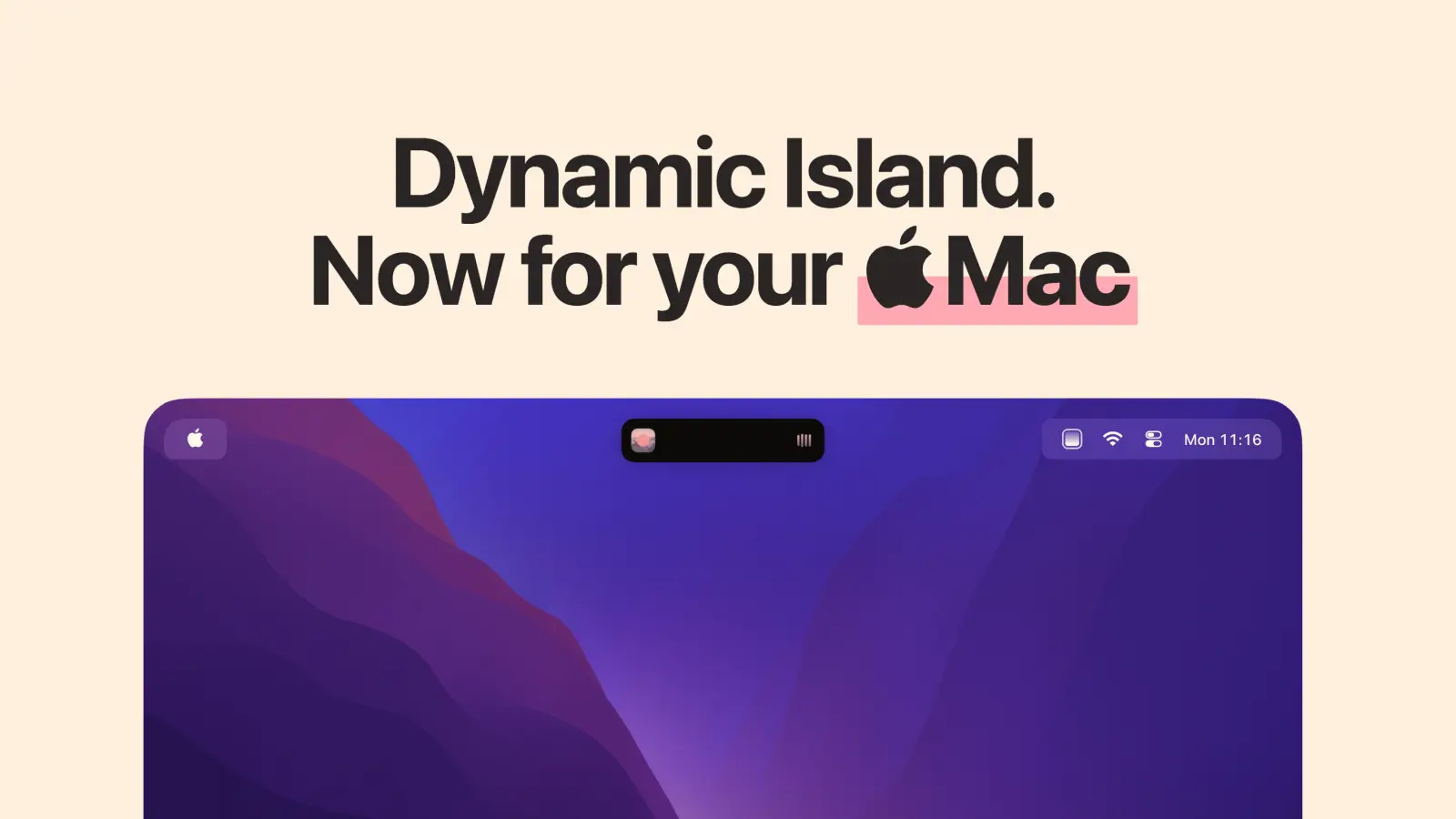
Alcove Dynamic Island interface in the MacBook notch.

HealthyNotch and Alcove, side by side

FeatureHealthyNotchAlcove
Lives in the Mac notchYesNotch panel on MacBooks, or a centered pill on notch-less Macs.YesDynamic Island in the Mac notch. Changelog 1.7 adds a pill for notch-less displays.
Water reminders and in-place loggingYesReminder plus a quick-log intake ruler, in the notch.NoNo hydration reminders and no intake logging.
Eye break (20-20-20)Yes20-20-20 reminder. Look about 20 feet away, then back to work.NoNo 20-20-20 or blink reminders.
Stand / movementYesShort stand and movement nudge. Frequency is yours.NoNo stand or movement nudges.
PostureYesSit-up-straight check. Can be retimed or turned off.NoNo posture checks.
Daily scoreYesBalance Score, 0–100, from nudges, water, and how evenly breaks land.NoNo daily health score. Live Activities show media, calendar, and system status.
Meeting / video Smart PauseNoNudges stay in the notch. No meeting or video detection yet.NoCalendar Live Activities exist. There is no meeting pause of health nudges, because there are none.
Full-screen break enforcementNoGlanceable nudges. Nothing takes over the display.NoNotch HUDs and lock screen widgets. No full-screen break overlay.
Account, cloud, analyticsNoLocal-only. No account, no analytics, no servers.PartialPrivacy policy: no personal data collected. License recovery exists; changelog 1.2 mentions iCloud settings sync.
Native Swift vs ElectronYesNative SwiftUI menu bar agent.YesOfficial site calls it a native Mac app.
Pricing modelYesOne-time $11.99, regularly $19.99. No subscription.Yes$14.99 once, up to 3 devices, 72-hour trial, 14-day refund. Updates included.
Works without a physical notchYesFalls back to a centered pill in the menu bar area.YesChangelog 1.7: pill shape for notch-less displays.
macOS minimumYesmacOS Sonoma 14.0 or laterYesmacOS 15 Sequoia or later (download page).

Where they differ

Dynamic Island vs a health companion in the same notch

Alcove's job is the iPhone island on a Mac. Notifications land there. Live Activities cover now playing, calendar, and similar status. Swipe gestures skip tracks or dismiss an activity. Customizable HUDs move volume and brightness into the cutout. Lock screen widgets (now playing, Focus, weather, battery, connectivity, calendar) sit on the Mac lock screen. Changelog 1.7 adds duo mode and a pill for Macs without a notch. That is a system overlay, built to feel like iOS.

HealthyNotch never tries that surface. The expanded notch is a small panel for today's water, the next nudge, and Balance Score. Collapsed, it stays quiet. There is no now-playing island, no HUD takeover, no lock screen widgets. If the cutout is hardware you want to make useful the way an iPhone is useful, Alcove is the product. If the cutout is a place you will actually glance to drink, look away, stand, or sit up, HealthyNotch is the product.

Can Alcove and HealthyNotch run together?

Both draw into the MacBook notch, or into a pill when there is no cutout. Two apps owning that strip usually fight: hover targets, which panel expands, menu bar layout, and which live activity wins. Alcove's FAQ does not mention a second notch app. HealthyNotch does not ship a dual-install mode. Treat running them together as unsupported.

You can keep Alcove on one Mac and HealthyNotch on another (Alcove allows three devices at a time). On a single notched MacBook, pick the job you want the hardware to do. If you only wanted Dynamic Island, stay with Alcove. If you only wanted health nudges, stay with HealthyNotch. Stacking them is likely a conflict, not a richer island.

Lock screen, private APIs, and what a license buys

Alcove is $14.99 once, future updates included, up to three devices, a 72-hour trial, and a full refund within 14 days with no reason required. The FAQ is plain about risk: it relies on private APIs that have worked for years, is sold as-is, and Apple could change or remove those APIs. Lock screen widgets are part of that bet. Privacy policy: Alcove collects no personal data. Changelog 1.2 mentions optional iCloud settings sync, and license recovery exists for the key.

HealthyNotch is a Polar license: $11.99 at launch, $19.99 regularly, no subscription, local-only, no analytics. It needs macOS Sonoma 14.0, so it still runs where Alcove's Sequoia 15 floor does not. You are not buying Live Activities or a lock screen. You are buying four nudges, in-place water logging, and a daily score. Different risk, different payoff. Alcove's bet is undocumented system surfaces. HealthyNotch's bet is a small reminder loop that stays on the Mac.

When to pick which

Pick Alcove if

  • You want iPhone Dynamic Island on the Mac: Live Activities, notifications, swipe gestures, and now playing.
  • You want customizable HUDs for volume and brightness, plus lock screen widgets.
  • You are on macOS 15 Sequoia or later and want a 72-hour trial before a $14.99 license on up to three devices.
  • You do not need water, eyes, stand, or posture reminders.

Pick HealthyNotch if

  • You want the notch to nudge water, 20-20-20, stand, and posture, with in-place water logging.
  • You want a daily Balance Score from 0 to 100, not a media or notification island.
  • You want a one-time $11.99 launch license ($19.99 later) with no account and no servers.
  • You are on macOS Sonoma 14, or you searched for an Alcove alternative because you wanted health in the cutout.

Frequently asked questions

Is HealthyNotch an Alcove alternative?

HealthyNotch is an Alcove alternative only if you wanted the Mac notch to do a health job. It puts water, 20-20-20, stand, and posture in the cutout, logs water there, and rolls the day into a Balance Score. It is not an alternative if you want Dynamic Island, Live Activities, HUDs, or lock screen widgets. Those stay with Alcove. The two apps share a surface, not a job.

HealthyNotch vs Alcove: which should I use?

Use HealthyNotch vs Alcove as a job choice for the same hardware. HealthyNotch is local health nudges in the notch, in-place water logging, a Balance Score, and a one-time $11.99 launch license ($19.99 later) on macOS Sonoma 14 or later. Alcove is Dynamic Island for Mac: Live Activities, HUDs, notifications, lock screen widgets, $14.99 once, macOS 15 Sequoia or later. Pick Alcove for the island. Pick HealthyNotch for the four desk habits.

Alcove vs HealthyNotch: what is the difference?

In an Alcove vs HealthyNotch matchup, the shared piece is the MacBook notch (or a pill on a display without one). Alcove fills it with Dynamic Island behavior. HealthyNotch fills it with water, eyes, stand, posture, and a 0–100 Balance Score. Alcove does not track hydration or send health nudges. HealthyNotch does not recreate Live Activities, HUDs, or lock screen widgets. They are not substitutes.

Can I run Alcove and HealthyNotch at the same time?

You can install both, but two notch apps may conflict. Both want the cutout (or the pill). Hover targets, expansion, and live content often fight. Alcove does not document a second notch app, and HealthyNotch does not support a dual-install mode. On one notched MacBook, pick one job for the hardware. Alcove's license covers up to three devices if you want the island on a different Mac.

Does Alcove track water or send health reminders?

No. Alcove does not track hydration and does not send water, eye-break, stand, or posture nudges. Its notch surface is Dynamic Island: notifications, Live Activities, HUDs, and lock screen widgets. If those health reminders are the reason you opened this page, that work is HealthyNotch, not Alcove.

Does HealthyNotch do Dynamic Island, Live Activities, or lock screen widgets?

No. HealthyNotch is a health companion in the notch, not an iPhone island clone. It does not show now playing, calendar Live Activities, volume HUDs, or lock screen widgets. If that island is what you want, Alcove is the better fit.

How does Alcove pricing compare with HealthyNotch?

On 21 August 2026, Alcove's homepage purchase button is $14.99 once. The FAQ adds a 72-hour trial, up to three devices, a 14-day refund with no reason required, and future updates included. HealthyNotch is one-time $11.99 at launch ($19.99 later), sold as a Polar license with no subscription. Both are buy-once. Alcove is the island. HealthyNotch is the health nudges.

Do I need a notched MacBook for Alcove or HealthyNotch?

No for either, with different fallbacks. Alcove's 1.7 changelog lists a pill shape for notch-less displays. HealthyNotch falls back to a centered pill in the menu bar area on Macs without a notch, and on external displays. A physical notch still looks the most native for both. Alcove requires macOS 15 Sequoia. HealthyNotch requires macOS Sonoma 14.0.

Checked against public docs

HealthyNotch prepared this comparison from the public documentation linked below. It does not claim hands-on testing of the competitor unless the page says so.

Last reviewed .

A one-time license for your Mac

Launch pricing is $11.99, regularly $19.99 — one payment, no subscription.

You’ll get a license key after you pay — on Polar’s confirmation screen, and by email.