A free timer you configure, not a health log
Time Out ships with two break kinds: a longer Normal break, typically ten minutes each hour so you can get up, and a short Micro break, typically fifteen seconds every fifteen minutes. You can change those, drop either one, and add more, including a fixed lunch. Idle time can count backward as a natural break. Actions can fire before, during, or after: a notification, speech, a sound, Automator, AppleScript. Themes include local HTML, a website, YouTube, images, and text. Time Out 3 turns the old exclusions into Rules, so a matching app, calendar event, fullscreen window, or script (FaceTime, Teams, Zoom) can skip or postpone a break.
That control is the product. The core app stays free for as long as you want. Advanced pieces, including Activity tracking and some of the newer rules, are supporter rewards: $4.99, $9.99, or $19.99 once, with no auto-renew. Dejal says those rewards stay available after the period.
HealthyNotch does not try to match that control surface. Each nudge has a frequency you can change or turn off. There is no theme editor and no AppleScript hook. If the job is "make my Mac stop on a schedule I wrote," Time Out is still the tool built for that.
Health tracking without a full-screen takeover
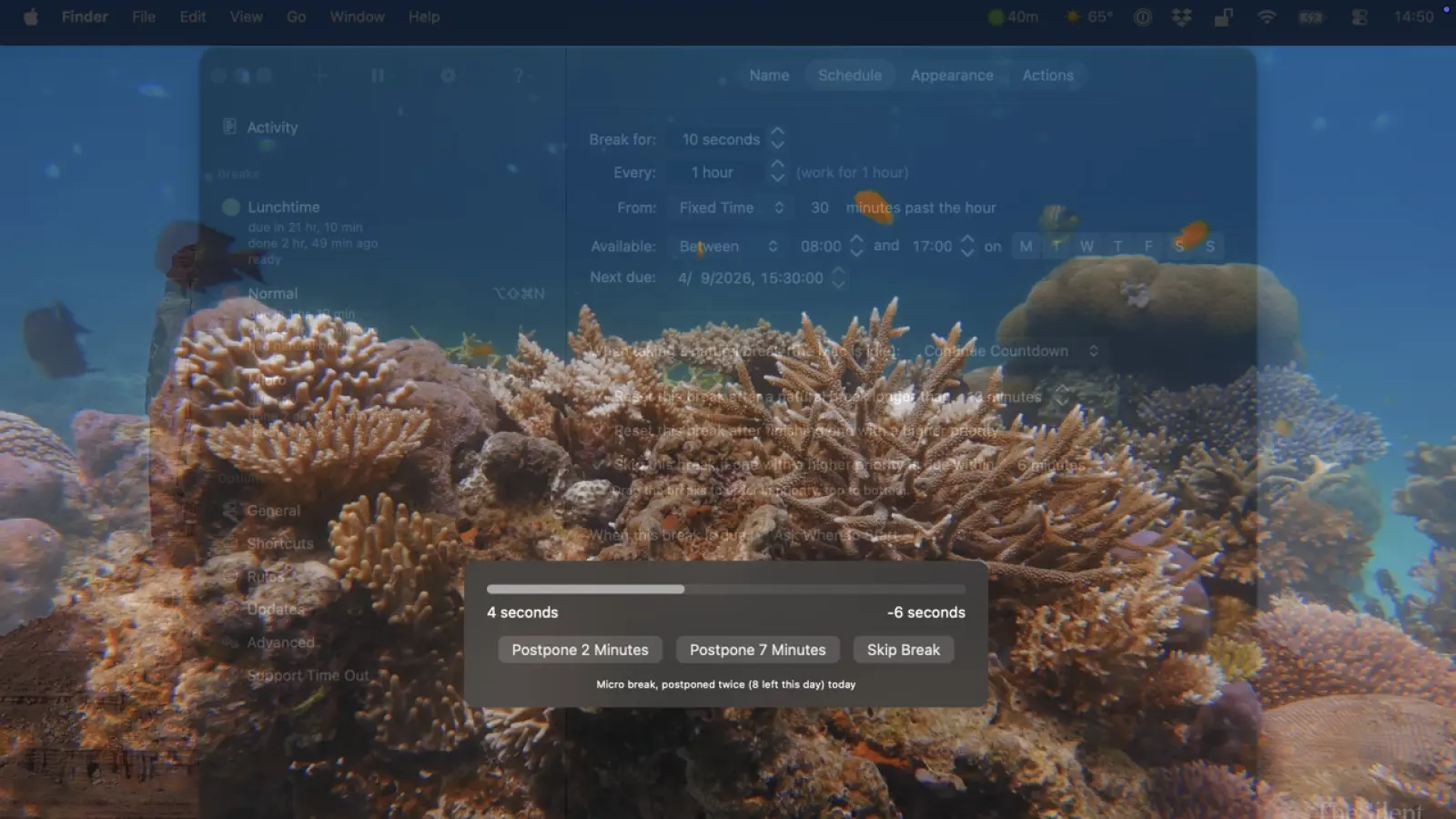
When Time Out starts a break, the screen dims and a theme appears. A progress bar counts down. You can postpone or skip if you cannot stop. The interruption is the point: it is hard to keep typing through a faded desktop.
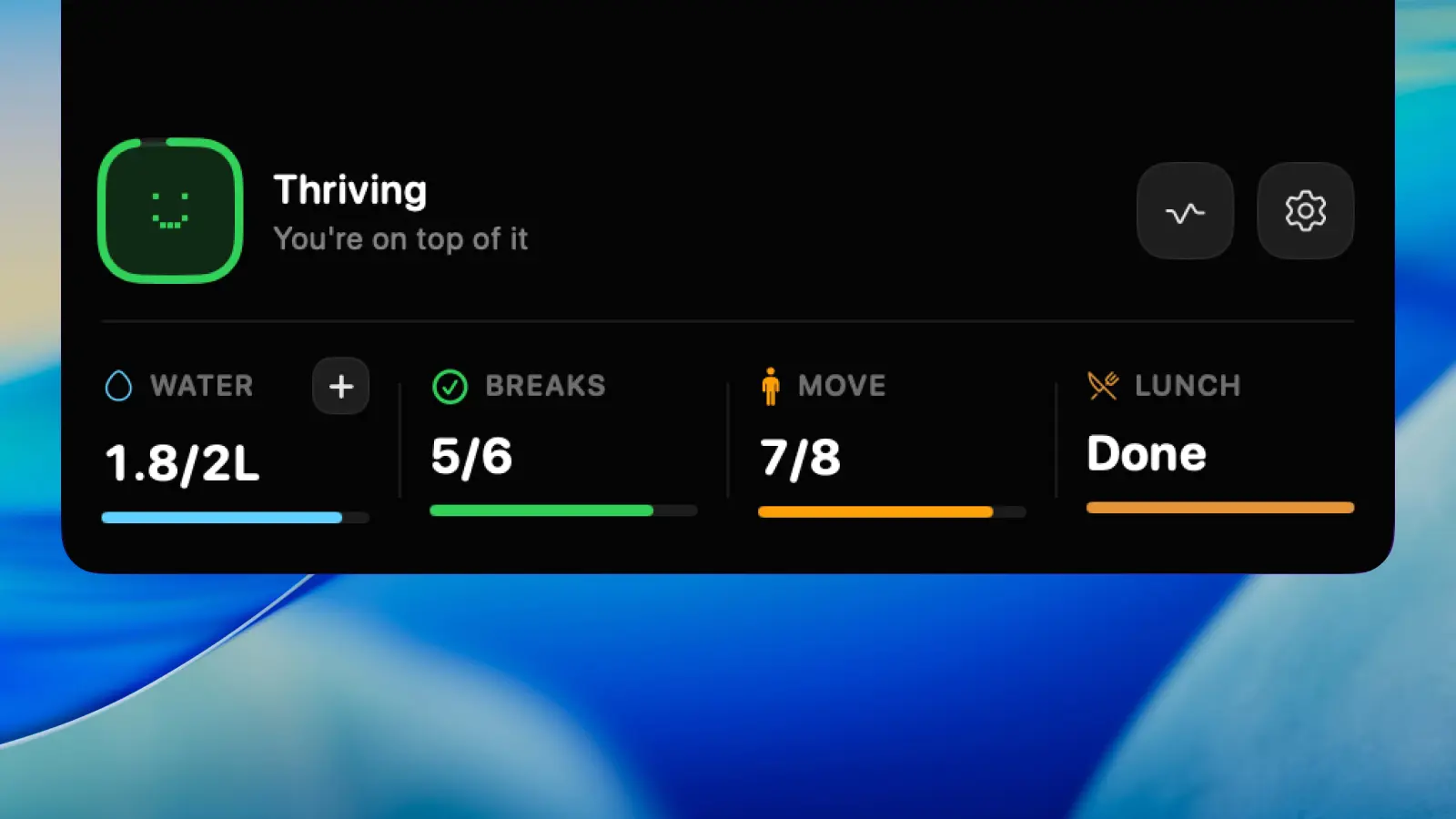
HealthyNotch never takes the display. Nudges stay in the notch, or in a centered pill on a Mac without one. Water is a reminder plus a ruler you log against, in place. Eyes follow the 20-20-20 rule. Stand and posture are short checks you can retime. The day becomes a Balance Score from 0 to 100, from those nudges, the water log, and how evenly breaks land.
Time Out does not offer a water log, a posture reminder, or a dedicated blink or 20-20-20 mode. You could set a Micro break to twenty minutes and treat it as an eye rest. That is still a timer, not a habit tracker. If full-screen enforcement is what makes you actually stand up, keep Time Out. If you want the reminder present without covering your work, that is the HealthyNotch side.
Time Out 3 needs macOS 26; older Macs stay on 2.9.7
The current general release, Time Out 3.0.4, requires macOS 26 (Tahoe). Dejal still posts version 2.9.7 for macOS 10.15 or later. If you are on Sonoma or Sequoia, Time Out 3 will not install. The older build will.
HealthyNotch requires macOS Sonoma 14.0 or later. It runs on the OS versions many people are on now, including machines that cannot take Time Out 3 yet.
This is not a reason to switch by itself. 2.9.7 is still a capable timer. It is a reason to read the version number before you compare a Time Out 3 screenshot with what is actually on your Mac.