vs

HealthyNotch vs LookAway

LookAway enforces screen breaks with Smart Pause and iPhone Mirror. HealthyNotch keeps water, eyes, stand, and posture as quiet nudges in the notch.

You’ll get a license key after you pay — on Polar’s confirmation screen, and by email.

LookAway and HealthyNotch both remind Mac users to rest their eyes during long desk days. They split on presence. LookAway is a native break timer: heads-up, overlay, Smart Pause during meetings and video, blink and posture on the side, and LookAway Mirror so the iPhone does not become the next screen. HealthyNotch is a quieter companion in the MacBook notch. It reminds you to drink water (and lets you log it there), look 20 feet away, stand, and sit up, then rolls the day into a Balance Score. No overlay, no account, nothing uploaded.

Quick verdict

Pick LookAway if you want a modern Mac break reminder that waits during meetings and can lock your iPhone when the break starts. Pick HealthyNotch if you want health nudges that stay in the notch: water you log in place, eyes, stand, posture, and a daily Balance Score. Both are native Mac apps sold as a one-time license. LookAway does not live in the notch.

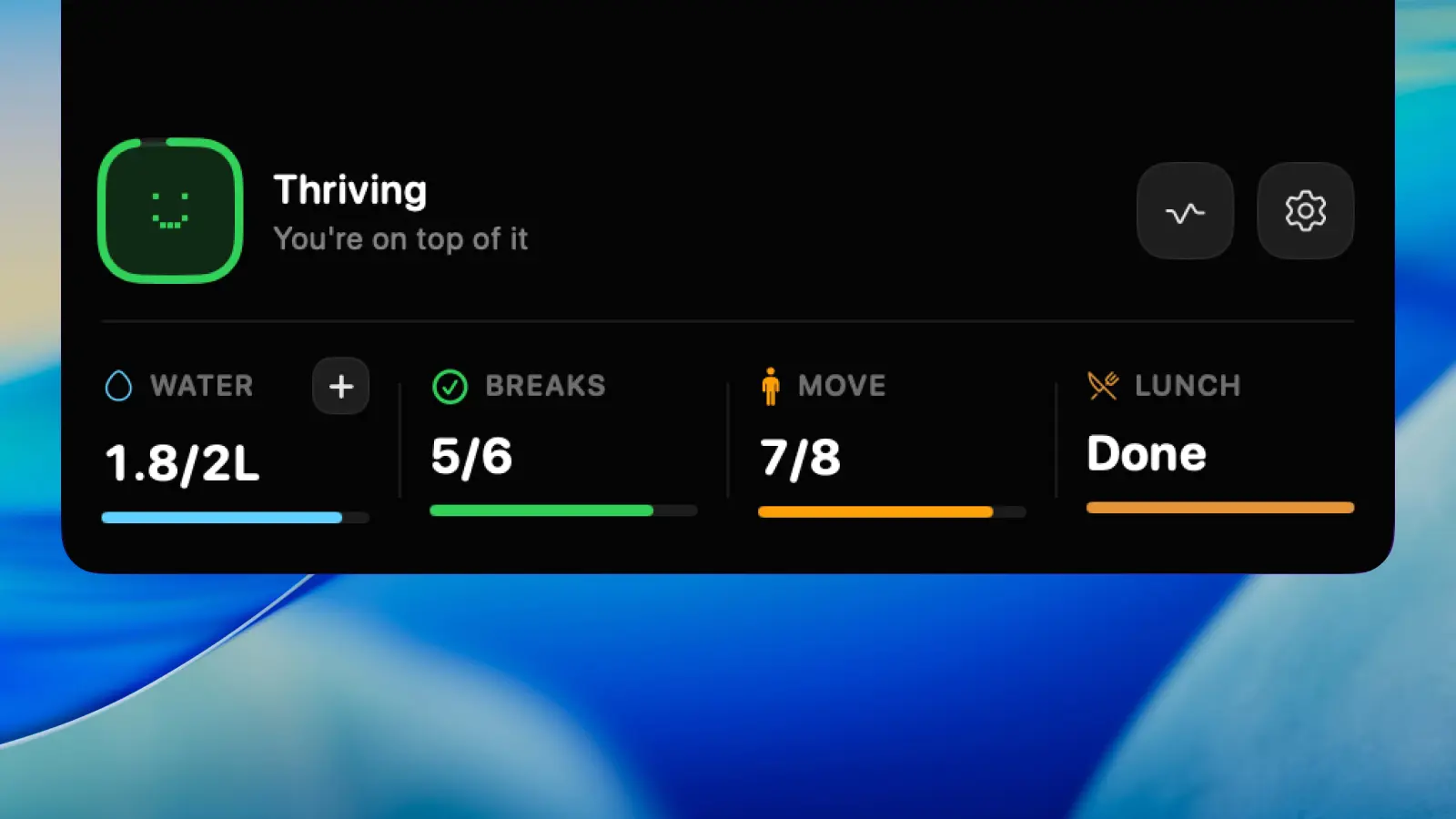
HealthyNotch expanded notch panel showing water, breaks, and Balance Score on a MacBook menu bar.
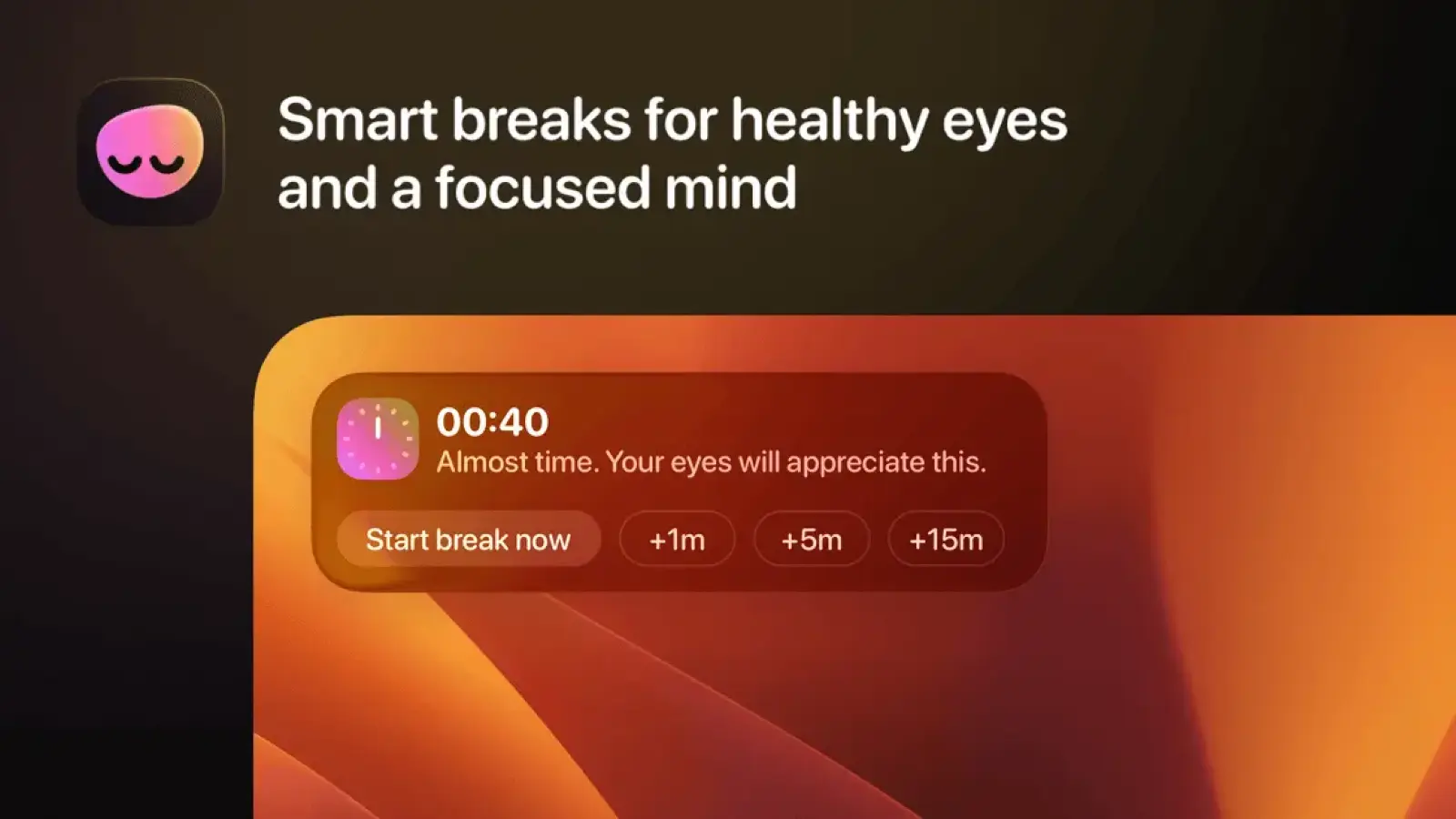
LookAway Mac break reminder and screen-break interface.

HealthyNotch and LookAway, side by side

FeatureHealthyNotchLookAway
Lives in the Mac notchYesNotch panel on MacBooks, or a centered pill on notch-less Macs.NoMenu bar, overlay breaks, optional lock-screen countdown. Not the Mac notch.
Water reminders and in-place loggingYesReminder plus a quick-log intake ruler, in the notch.NoNo hydration reminder and no in-place water log.
Eye break (20-20-20)Yes20-20-20 reminder. Look about 20 feet away, then back to work.Yes20-20-20 style breaks plus optional blink reminders, on an overlay.
Stand / movementYesShort stand and movement nudge. Frequency is yours.PartialBreaks and Planned Breaks can mean a walk or lunch. No dedicated stand nudge.
PostureYesSit-up-straight check. Can be retimed or turned off.YesSeparate posture nudges. Not shown in the notch.
Daily scoreYesBalance Score, 0–100, from nudges, water, and how evenly breaks land.YesScreen Score, 0-100, from session length and breaks taken. Not water or posture.
Meeting / video Smart PauseNoNudges stay in the notch. No meeting or video detection yet.YesPauses for meetings, calls, video, screen recording, deep-focus apps, and fullscreen games.
Full-screen break enforcementNoGlanceable nudges. Nothing takes over the display.YesHeads-up, overlay, optional Mac lock, custom backgrounds. Mirror can lock iPhone and iPad.
Account, cloud, analyticsNoLocal-only. No account, no analytics, no servers.PartialNo in-app account. License check, optional Mixpanel analytics (opt out), internet for Mirror.
Native Swift vs ElectronYesNative SwiftUI menu bar agent.YesNative Swift (AppKit and SwiftUI) menu bar app.
Pricing modelYesOne-time $11.99, regularly $19.99. No subscription.Yes$19 one Mac or $29 two Macs, pay once. 7-day trial. One year of updates.
Works without a physical notchYesFalls back to a centered pill in the menu bar area.YesMenu bar app. Works on Macs with or without a notch.
macOS minimumYesmacOS Sonoma 14.0 or laterYesmacOS 13 Ventura or later.

Where they differ

Overlay enforcement vs a glance in the notch

LookAway treats a break as a full stop. You get a heads-up, then a countdown that follows the pointer, then the display is the break: a background, a message, optional Mac lock. LookAway Mirror can lock a paired iPhone or iPad so the break is not "switch to the other screen." Version 2.4 can show remaining time as a Live Activity on the phone, and under the clock on the Mac lock screen on macOS 26 (direct download and Setapp; not the Mac App Store build).

HealthyNotch never takes the display. The notch, or a centered pill on a Mac without one, holds the nudge. Hover, log water or look about 20 feet away, then you are back in the document. Nothing dims the screen. Nothing locks the phone.

If you need the computer to insist, LookAway is the stronger break reminder. If you want the reminder to live in the camera cutout and stay glanceable, that is HealthyNotch. LookAway is a menu bar app with overlays. It does not live in the notch.

Smart Pause vs always-on quiet nudges

LookAway's Smart Pause holds reminders when you are in a meeting or call (camera or microphone), watching video, recording or sharing the screen, in a deep-focus app you listed, or in a fullscreen game. After that activity ends, it can wait a few minutes before the break starts. Idle time can count as a break you already took. Planned Breaks sit at clock time (lunch, a walk) and still wait through meetings.

HealthyNotch has none of that. Nudges stay in the notch during a Zoom call the same as during a quiet hour of writing. They are small, so the product does not try to detect meetings or video. There is no exclusion list and no Smart Pause.

Use LookAway if you want reminders to wait through a call. Use HealthyNotch if you want water, eyes, stand, and posture visible all day, and you are fine without meeting detection.

Screen Score vs water, stand, and Balance Score

LookAway's Screen Score (0-100) is about screen habits: shorter sessions, consistent breaks, fewer skips. Stats can show app usage and, if you turn it on, website usage. That answers "did I actually step away." Blink reminders and posture nudges sit beside the breaks. There is no water reminder and no intake log.

HealthyNotch's Balance Score asks a different question: did you drink the water, take the eye, stand, and posture nudges, and were those breaks spread through the day. Water has a quick-log ruler in the notch. There is no app-usage dashboard.

LookAway can lock the iPhone. HealthyNotch does not. HealthyNotch stores the day on the Mac only. LookAway activates a license, can send anonymous Mixpanel usage (opt out in Settings, About), and needs internet for Mirror. Each score is honest about the job it measures.

When to pick which

Pick LookAway if

  • You want the break to take the screen, not sit in a corner of the menu bar.
  • Meetings, calls, and video should pause reminders on their own (Smart Pause).
  • You want LookAway Mirror to lock the iPhone or iPad when the Mac break starts.
  • Blink reminders, Planned Breaks, and a Screen Score for breaks taken matter more than logging water.
  • You are on macOS 13 Ventura, which HealthyNotch does not support.

Pick HealthyNotch if

  • You want the MacBook notch to carry water, 20-20-20, stand, and posture.
  • You want to log water in place, without another window.
  • You do not want an overlay, meeting detection, or a phone companion.
  • Local-only data, no account, no analytics.
  • A one-time $11.99 at launch ($19.99 later) license is enough, and you are on macOS 14 Sonoma or later.

Frequently asked questions

LookAway vs HealthyNotch: which should I pick?

Pick LookAway if you want a Mac break reminder that can take over the display, wait through meetings and video (Smart Pause), and lock a paired iPhone when the break starts. Pick HealthyNotch if you want quiet nudges in the MacBook notch for water (with in-place logging), eyes, stand, and posture, plus a daily Balance Score, with no overlay and no account.

HealthyNotch vs LookAway: what is the real difference?

The job overlaps (rest your eyes, sit up), the surface does not. LookAway is a menu bar break timer with overlays, Smart Pause, blink reminders, Screen Score, and optional iPhone Mirror. HealthyNotch lives in the notch: water log, 20-20-20, stand, posture, and Balance Score. LookAway does not live in the notch. HealthyNotch does not enforce a full-screen break and has no Smart Pause.

Is HealthyNotch a LookAway alternative?

Yes, if the search is "LookAway alternative" and what you actually want is health reminders on the Mac without an overlay. Same hours at the desk, different product: LookAway enforces screen breaks and can lock the phone; HealthyNotch keeps four habits in the notch and stays local. If Smart Pause or iPhone Mirror is the reason you liked LookAway, HealthyNotch is not a substitute for those.

Does LookAway live in the Mac notch?

No. LookAway is a native menu bar app. Breaks show as overlays (and, in 2.4, optional lock-screen countdown). It does not use the MacBook notch as a UI. HealthyNotch is the one that puts water, eyes, stand, and posture in the notch, with a centered pill on Macs that have no physical notch.

Does LookAway remind me to drink water?

No. LookAway's extra reminders are blink and posture, plus screen breaks. It has no hydration reminder and no intake log. HealthyNotch reminds you to drink water and lets you log it on a ruler in the notch. That logged water feeds the Balance Score.

Does HealthyNotch have Smart Pause like LookAway?

No. LookAway can postpone breaks during meetings and calls, video playback, screen recording, deep-focus apps, and fullscreen games. HealthyNotch has no meeting or video detection. Nudges stay in the notch whether you are on a call or not. They do not take over the display, which is why the app does not try to pause them.

How do LookAway and HealthyNotch prices compare?

Both sell a direct license you pay once. LookAway is $19 for one Mac or $29 for two, with a 7-day trial, one year of updates, then optional renewal for another year of updates. It is also on Setapp; Mac App Store pricing is separate and subscription-style. HealthyNotch is one-time $11.99 at launch ($19.99 later), with no subscription and no account. Prices are snapshots and can change.

Can I use LookAway and HealthyNotch at the same time?

You can. They use different UI: LookAway overlays and a menu bar icon, HealthyNotch the notch (or a centered pill). Two reminder apps at once can feel noisy, especially if LookAway takes the screen while HealthyNotch is also nudging. If you keep both, turn off overlapping habits (for example posture in one app only) so they are not asking for the same thing.

Checked against public docs

HealthyNotch prepared this comparison from the public documentation linked below. It does not claim hands-on testing of the competitor unless the page says so.

Last reviewed .

A one-time license for your Mac

Launch pricing is $11.99, regularly $19.99 — one payment, no subscription.

You’ll get a license key after you pay — on Polar’s confirmation screen, and by email.